|
Click the question to reveal the answer, click the question once more to hide.
Print FAQs
| Q |
How to Register your copy of Easy Duplicate Finder (EDF) |
| A |
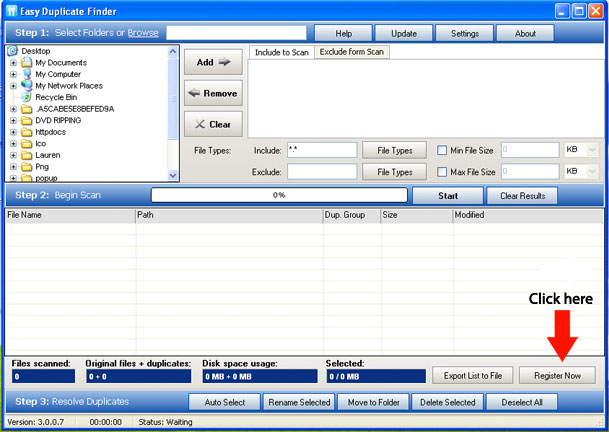
Step 1. Launch
your newly installed version of EDF.
Click on "Register Now" button
within the application.
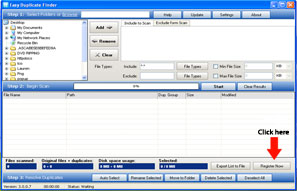
This will bring you to registration form on the EDF
website.
Note:There are several
paths to registering with. This path is the
the most common.
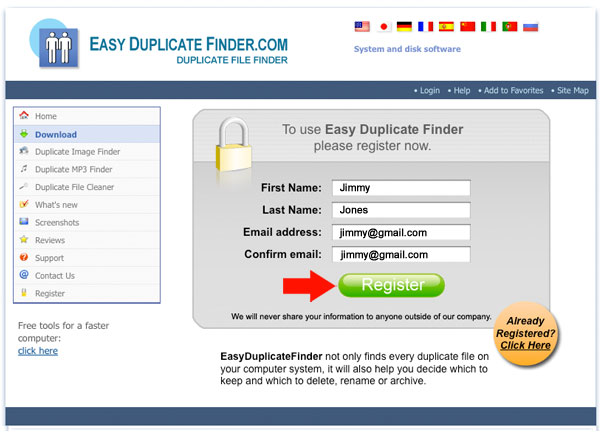
Registration form on the EDF
website.
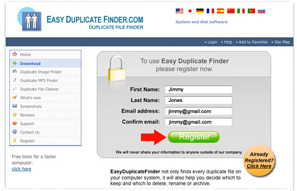
Fill out the registration form:
- Enter your first and last
name
- Enter your email
you must enter it twice
- Click on
"Register"
Important!!
You only need to register once.
If you have previously filled in the
form,
click on the "Already Registered" link.
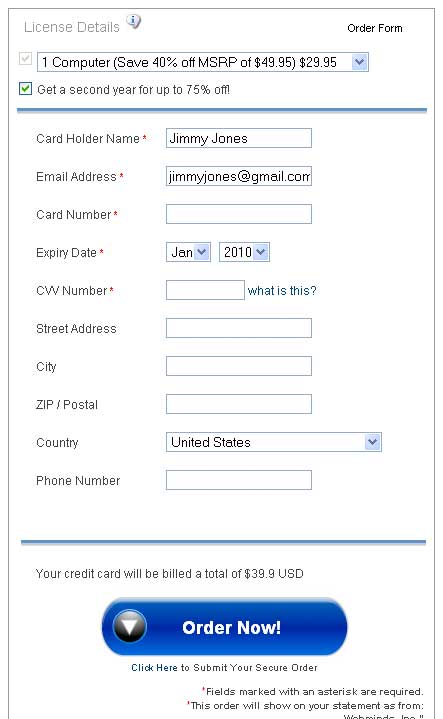
Shopping Cart.

- Fill out the required fields
Card Holder Name
Email Address
Card Number
Expiry Date
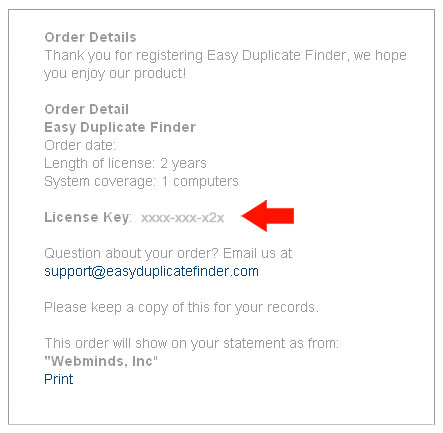
Payment Successful/Order Confirmation
Page.
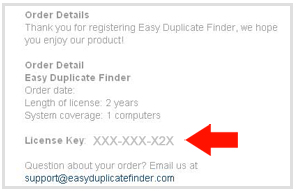
Note the following options:
- Please make a copy of this
page
A receipt will be emailed to the email
address you provided in step #2
- Copy your license
key
Important!!
You will need this for the next step.
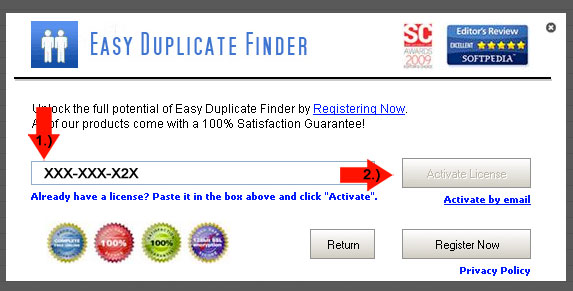
Return to the Easy Duplicate Finder
application to enter license key.
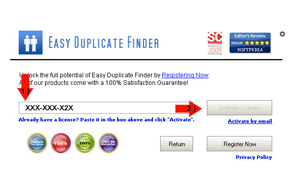
Note the following steps:
- Paste your license key into
the field #1
- Click on "Activate
License" button
- Congratulations!
× close
|
| Q |
Setting of the Search Options :: Step 1 => Find Duplicate Files |
| Q |
Setting of the Search Options :: Step 2 = > Remove
Duplicate Files |
| Q |
Setting of the Search Options :: Step 3 |
| Q |
Setting of the Search Options :: Tips |
|